
Pikchart AI
Piktochart AI generates visual designs from text in under 10 seconds. Create infographics, presentations, and social media graphics with AI tools. Trusted by Disney, UN, and Verizon.
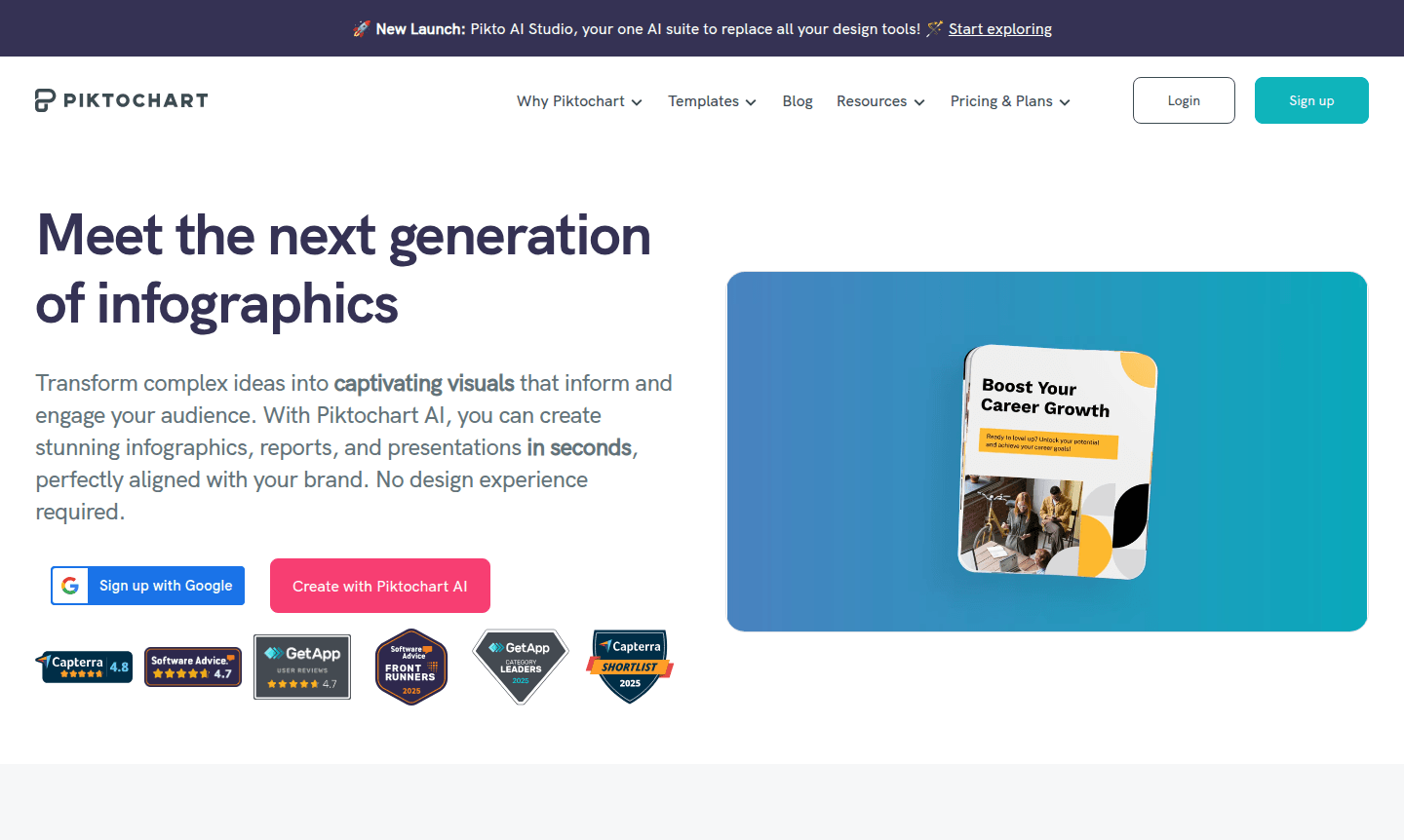
Overview of Piktochart AI
Piktochart AI revolutionizes visual content creation by transforming simple text prompts into stunning designs in under 10 seconds. This comprehensive design platform combines generative AI capabilities with professional design tools, enabling users to create everything from infographics and presentations to social media graphics without requiring design experience. The platform serves as an all-in-one solution for businesses, educators, marketers, and students who need to communicate complex information through engaging visuals. By leveraging AI-powered design generation, users can maintain brand consistency while producing high-quality visual content efficiently.
The platform integrates seamlessly with various workflows, offering features like AI image generation, modification, and enhancement tools that eliminate the need for stock photos. Users can access extensive libraries of design elements, create custom charts and graphs, and collaborate with team members in real-time. Trusted by major organizations including Disney, United Nations, and Verizon, Piktochart AI provides enterprise-level capabilities accessible to users of all skill levels. The tool particularly benefits those in presentation creation, AI image generation, and team collaboration environments.
How to Use Piktochart AI
Getting started with Piktochart AI involves a straightforward workflow that begins with entering a text prompt describing your desired visual. The AI design generator then creates multiple design options within seconds, which you can further customize using the platform's intuitive editing tools. Users can select from pre-designed templates or build from scratch, incorporating charts, diagrams, icons, and brand assets. The collaborative workspace allows team members to comment, suggest revisions, and access shared libraries, similar to working in Google Docs or Microsoft Teams. Final designs can be exported in various formats for presentations, social media, print materials, or digital reports.
Core Features of Piktochart AI
- AI Design Generator – Transforms text prompts into complete visual designs in under 10 seconds
- Comprehensive Visual Toolkit – Includes charts, graphs, diagrams, maps, and customizable tables
- Brand Management Center – Centralized hub for brand fonts, colors, logos, and templates
- Team Collaboration Workspace – Shared libraries with commenting and revision tracking features
- Multi-format Export – Creates infographics, presentations, documents, and social media graphics
Use Cases for Piktochart AI
- Create professional infographics for data visualization and reporting
- Design engaging presentations for business pitches and sales decks
- Produce social media graphics for marketing campaigns
- Develop educational materials and visual aids for classrooms
- Generate HR communications and onboarding materials
- Create consulting reports and client presentations
- Design print materials like posters, banners, and brochures
Support and Contact
For assistance with Piktochart AI, visit the official support resources or email contact@piktochart.com. The collaborative nature of the tool includes built-in commenting and revision features that facilitate team communication and problem-solving during the design process.
Company Info
Piktochart provides AI-powered design solutions trusted by global organizations including Disney, United Nations, Heinz, Booking.com, Verizon, Accenture, and Johnson & Johnson. The company focuses on making professional design accessible to users across various industries and skill levels through intuitive AI technology and collaborative workspace features. Learn more at About Piktochart.
Login and Signup
Access Piktochart AI by logging in at Piktochart Login or signing up for a new account at Create Account. New users can explore the platform's AI design capabilities, while existing users can access their projects, templates, and collaborative workspaces. The web-based platform requires no software installation and supports team onboarding with shared asset libraries.
Pikchart AI FAQ
How quickly does Piktochart AI generate designs from text prompts?
Piktochart AI transforms text prompts into complete visual designs in under 10 seconds using advanced generative AI technology.
Can Piktochart AI help maintain brand consistency across designs?
Yes, Piktochart AI includes Brand Assets for storing brand fonts, colors, and logos, plus Branded Templates that transform designs to match your brand guidelines.
What types of visual content can I create with Piktochart AI?
Piktochart AI creates infographics, presentations, documents, social media graphics, videos, print materials, charts, diagrams, and interactive maps.
Does Piktochart AI offer pre-designed templates for users?
Yes, Piktochart AI provides extensive libraries of pre-designed templates for infographics, presentations, social media graphics, and more to speed up design creation.
Can teams collaborate on designs using Piktochart AI?
Yes, Piktochart AI includes team collaboration features like shared libraries, commenting, and revision tracking for seamless teamwork on visual projects.
Pikchart AI Pricing
Current prices may vary due to updates
Pricing information not specified
Piktochart AI offers various plan options, though specific pricing requires direct consultation. The platform provides AI design generation, collabora
Pikchart AI Reviews0 review
Would you recommend Pikchart AI? Leave a comment
Pikchart AI Alternatives
The best modern alternatives to the tool
New Tools Releases
Recently added tools
