
Raindrop.io
Raindrop.io is a powerful bookmark manager that saves web content permanently. Organize resources with collections, tags, and full-text search. Free plan available for all devices.
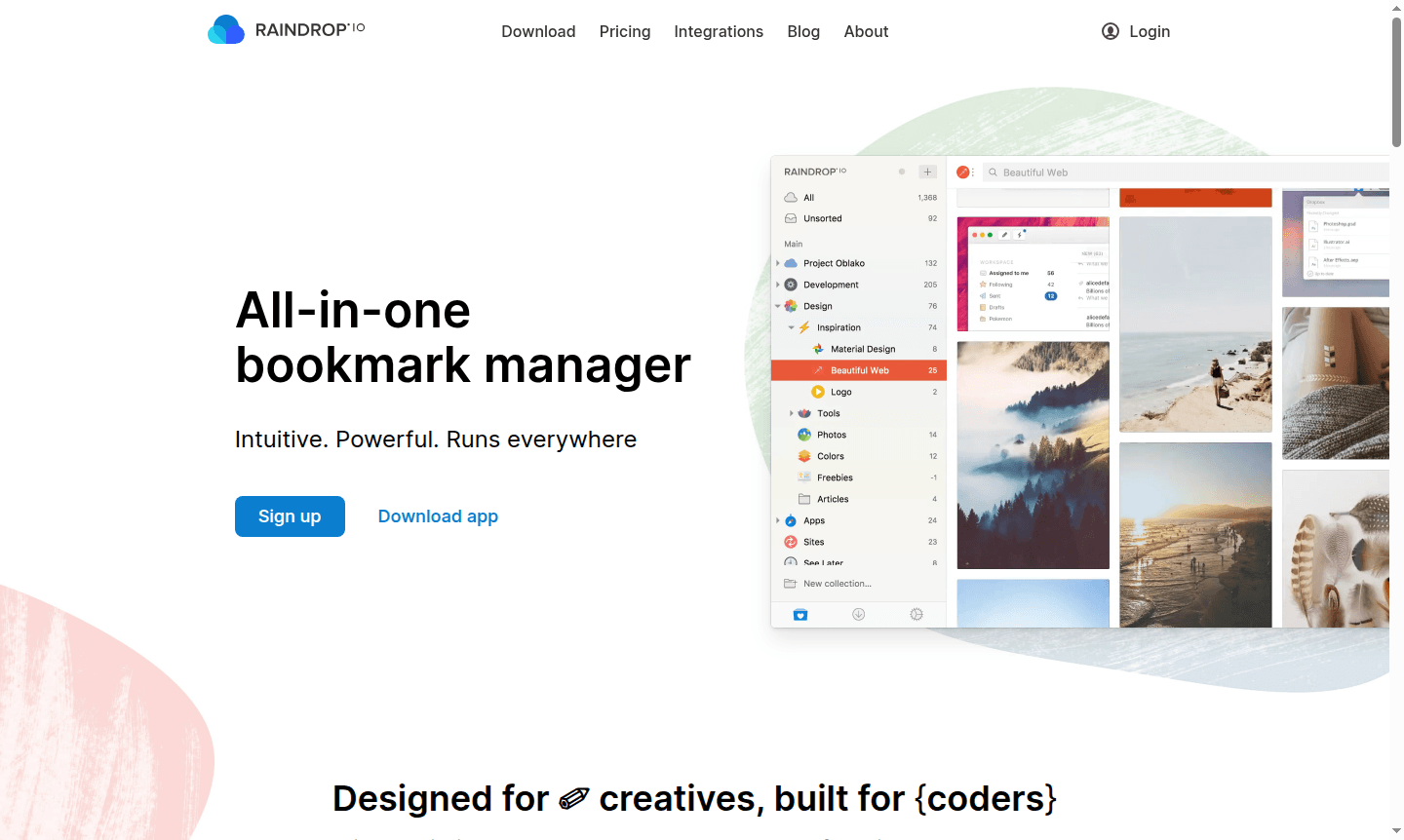
Overview of Raindrop.io
Raindrop.io is an all-in-one bookmark manager designed for creatives and built for coders, offering an intuitive yet powerful solution that runs everywhere. This versatile tool serves as the perfect place to keep all your favorite books, songs, articles, and whatever else you discover while browsing. Unlike basic bookmark managers, Raindrop.io saves not just links but the actual content – whether it's articles, photos, videos, presentations, or website screenshots – ensuring your saved resources remain accessible even if the original pages disappear. The platform supports all your favorite sites and automatically extracts relevant content based on page type, making it ideal for organizing thematic collections with diverse media formats.
Available across web interfaces, browser extensions, and mobile apps, Raindrop.io provides seamless access to your bookmarks from any device. The tool is particularly valuable for Bookmark Manager, file organization, and web browsing workflows. With support for multiple languages including English, Spanish, French, German, and Japanese, it serves a global user base of researchers, content creators, students, and professionals who need reliable content preservation and organization tools. The platform's cloud-based architecture ensures your data remains secure while providing instant synchronization across all your devices.
How to Use Raindrop.io
Getting started with Raindrop.io is straightforward – simply install the browser extension for Chrome, Firefox, Safari, or Edge, or download the mobile app for iOS or Android. Once installed, you can begin saving bookmarks with a single click, and Raindrop.io will automatically capture the page content based on its type. Organize your saved items into collections using thousands of predefined icons, add tags for better classification, and use the powerful search functionality to quickly locate any saved content. For team collaboration, you can share collections with coworkers or make them publicly accessible without requiring sign-ups. The platform also supports importing bookmarks from other services and exporting your data whenever needed.
Core Features of Raindrop.io
- Full-Text Search – Search entire content of saved web pages and PDFs beyond just titles and tags
- Permanent Backups – Automatic copies of all web pages and files even if originals are taken down
- Multiple Views – Choose from Grid, Headlines, Masonry, or List view modes for browsing
- Collaboration Tools – Share collections with team members and control access permissions
- Content Highlights – Annotate web pages and easily revisit key passages in the future
Use Cases for Raindrop.io
- Research and academic reference management for students and scholars
- Content curation and resource organization for digital marketers
- Web development inspiration and code snippet collection for programmers
- Media collection and visual reference organization for designers
- Team knowledge base building and resource sharing for remote teams
- Personal reading list management and article archiving
- Project research material organization across multiple devices
Support and Contact
For support inquiries, visit the Raindrop.io homepage for available support options. You can also contact support at contact@raindrop.io. The platform offers comprehensive documentation and community resources to help users maximize their bookmark management experience.
Company Info
Raindrop.io is developed by Rustem Mussabekov and operates as a cloud-based bookmark management service with both open-source and proprietary components. The company maintains a strong focus on privacy and data security while providing cross-platform accessibility.
Login and Signup
Access your Raindrop.io account or create a new one at the official website. The platform offers unlimited bookmarks, collections, and devices on its free plan, with optional premium upgrades available for advanced features.
Raindrop.io FAQ
What makes Raindrop.io different from other bookmark managers?
Raindrop.io saves actual page content along with bookmarks, creates permanent backups, and offers powerful organization tools across all devices.
Is Raindrop.io available on mobile devices?
Yes, Raindrop.io offers dedicated apps for iPhone, iPad, Android phones and tablets, plus browser extensions and web access.
Does Raindrop.io offer a free version?
Yes, Raindrop.io provides a completely free plan with unlimited bookmarks, collections, and cross-device synchronization.
What languages does Raindrop.io support?
Raindrop.io supports multiple languages including English, Spanish, French, German, and Japanese for global users.
Raindrop.io Pricing
Current prices may vary due to updates
Free
Unlimited bookmarks, collections, and devices with basic bookmark management features including collections, tags, cross-device access, and permanent
Raindrop.io Reviews0 review
Would you recommend Raindrop.io? Leave a comment
Raindrop.io Alternatives
The best modern alternatives to the tool
New Tools Releases
Recently added tools
