
Spiceworks Cloud Help Desk
Spiceworks Cloud Help Desk provides free cloud-based ticketing software with mobile access for IT support. Ideal for small businesses, it includes a free Core Plan with 1-5 admin seats and unlimited end users.
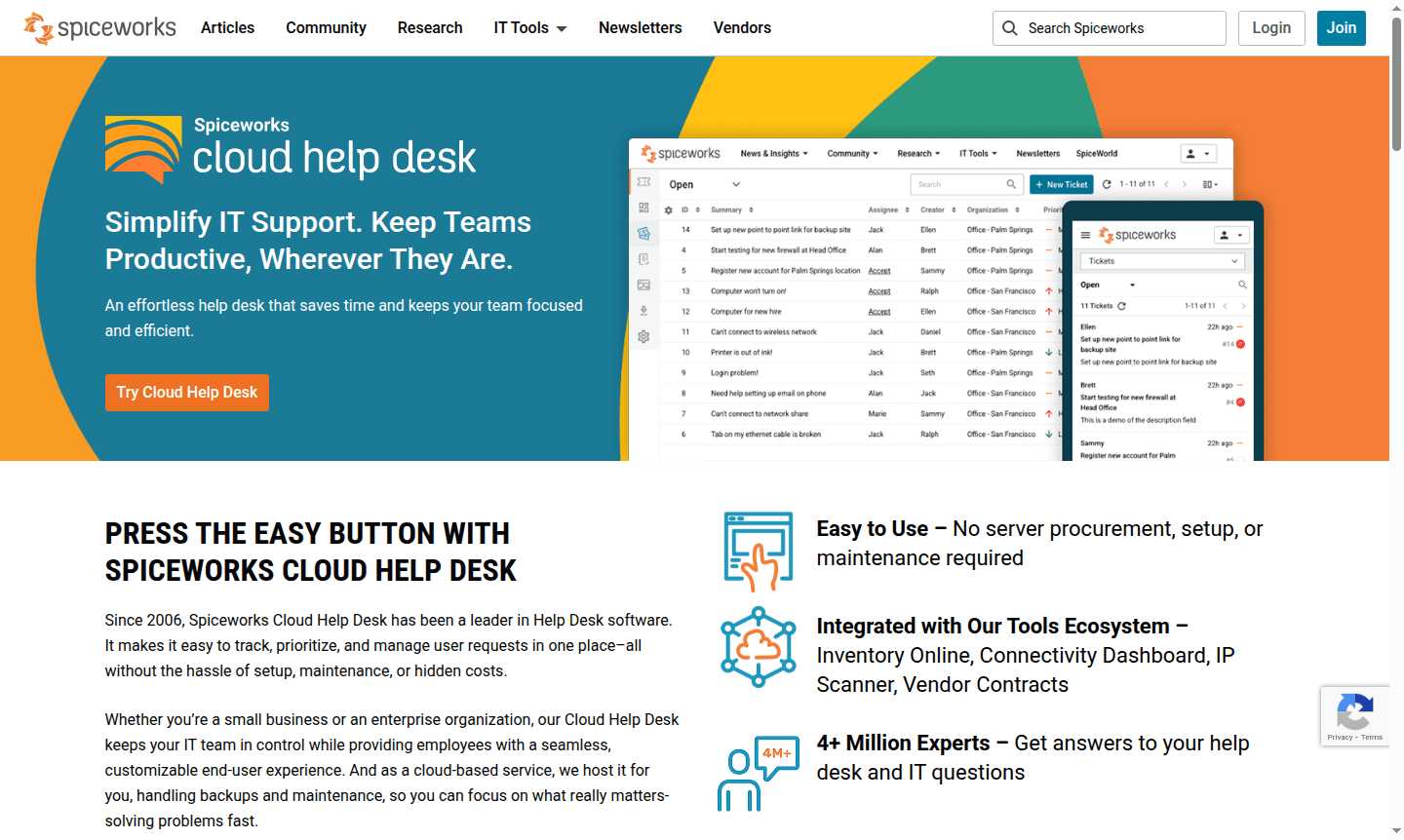
Overview of Spiceworks Cloud Help Desk
Spiceworks Cloud Help Desk simplifies IT support by providing an effortless help desk solution that keeps teams productive wherever they are. Since 2006, this cloud-based ticketing system has been a leader in help desk software, making it easy to track, prioritize, and manage user requests in one centralized platform - all without the hassle of setup, maintenance, or hidden costs. Whether you're a small business or enterprise organization, this free help desk software keeps your IT team in control while providing employees with a seamless, customizable end-user experience. The platform integrates with Spiceworks' broader ecosystem including inventory management, connectivity dashboards, and vendor contract tracking tools.
As part of the comprehensive Inventory Management and Remote Access Tool categories, Spiceworks serves the largest IT community of its kind with over 4 million IT professionals worldwide. The cloud-based service handles all hosting, backups, and maintenance automatically, allowing IT teams to focus on solving problems quickly rather than managing infrastructure. The platform is particularly valuable for small and medium-sized businesses looking for cost-effective IT support solutions without compromising functionality.
How to Use Spiceworks Cloud Help Desk
Getting started with Spiceworks Cloud Help Desk is straightforward - simply sign up for the free Core Plan to begin managing IT support tickets immediately. Users can submit requests through a customizable web portal or by sending emails directly to your help desk address, which automatically creates and routes tickets based on predefined priorities and categories. IT administrators can then organize tasks using custom ticket queues, monitor activity through consolidated streams and graphical dashboards, and manage everything from anywhere using the native mobile app. The system requires no server procurement, setup, or maintenance, making deployment instant and hassle-free for organizations of any size.
Core Features of Spiceworks Cloud Help Desk
- Cloud-Based Ticketing - Track, prioritize, and manage user requests without server setup or maintenance requirements
- Mobile Help Desk App - Access tickets and users from anywhere with native iOS and Android applications
- Automated Ticket Routing - Automatically assign and route tickets based on priorities, categories, and custom rules
- Custom Reporting Tools - Generate detailed reports using advanced filtering and Power BI integration
- Knowledge Base Builder - Create and share articles, how-tos, and documentation with your team and end users
Use Cases for Spiceworks Cloud Help Desk
- Small businesses needing free IT support software with unlimited end users
- IT teams requiring cloud-based ticketing system with mobile access
- Organizations transitioning from email-based support to structured help desk
- Companies looking to implement their first help desk software without upfront costs
- IT departments needing to track incidents and manage support requests efficiently
- Teams wanting to build internal knowledge bases for self-help resources
- Businesses requiring customizable reporting for IT performance analysis
Support and Contact
For support inquiries, visit the Spiceworks support page or email contact@spiceworks.com. The Premium Plan includes 24/5 live chat support, while all users can access the extensive knowledge base and community forums.
Company Info
Spiceworks Inc. is based in the United States and has been serving IT professionals since 2006. The company operates the largest IT community of its kind, connecting millions of IT professionals with technology brands to solve challenges collaboratively.
Login and Signup
Access your account at Spiceworks Cloud Help Desk login or create a new account through the same portal to start using the free help desk software immediately.
Spiceworks Cloud Help Desk FAQ
Is Spiceworks Cloud Help Desk really free to use?
Yes, the Core Plan is completely free and supports 1-5 admin seats with unlimited end users, ticketing, reporting, and multi-factor authentication.
What features does the Spiceworks Premium Plan include?
The Premium Plan adds ad-free experience, tasklists, bulk actions, 24/5 live chat support, and unlimited admin seats for $5-6 per seat monthly.
Can I use Spiceworks Help Desk on mobile devices?
Yes, Spiceworks offers native mobile apps for both iOS and Android to manage tickets and users from anywhere.
How does Spiceworks compare to other help desk software alternatives?
Spiceworks stands out with its free Core Plan, large IT community, cloud-based setup, and integration with other Spiceworks IT management tools.
Spiceworks Cloud Help Desk Pricing
Current prices may vary due to updates
Core Plan
Free plan for 1-5 admin seats with unlimited end users, includes ticketing, incident tracking, alerts, reporting, end user portal, custom attributes,
Premium Plan
Premium plan with unlimited admin seats, includes all Core features plus ad-free experience, tasklists, bulk actions, and 24/5 live chat support - pri
Spiceworks Cloud Help Desk Reviews0 review
Would you recommend Spiceworks Cloud Help Desk? Leave a comment
Spiceworks Cloud Help Desk Alternatives
The best modern alternatives to the tool
New Tools Releases
Recently added tools
