
Sejda PDF Editor
Sejda PDF Editor provides 30+ free online PDF tools for editing, converting, merging, splitting, and securing documents. Use the web-based editor or download the desktop version for offline use. Convert PDF to Word, Excel, PowerPoint, compress files, add signatures, and perform OCR. Compatible with Windows, Mac, and Linux.
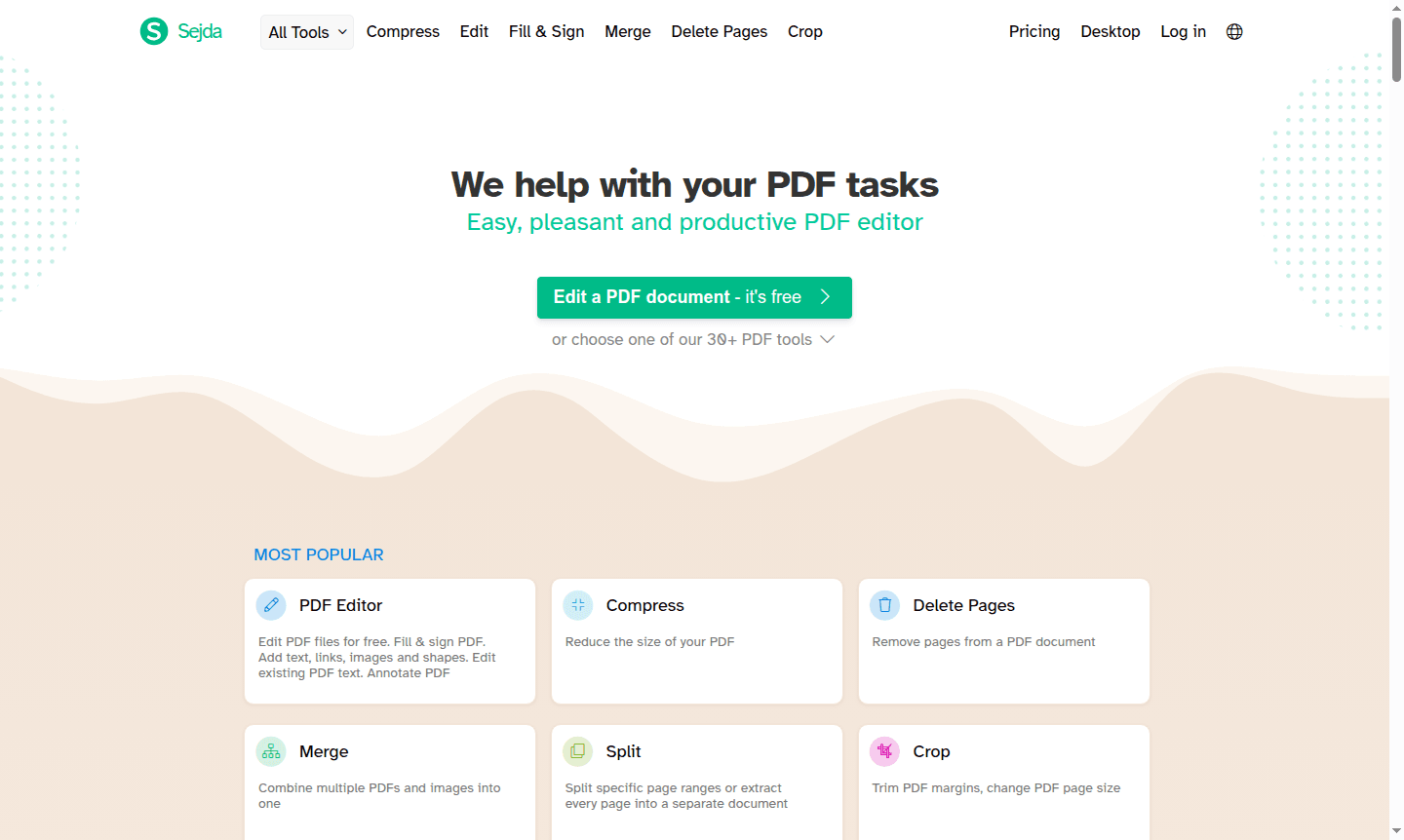
Overview of Sejda PDF Editor
Sejda is a comprehensive PDF editing platform that offers over 30 specialized tools for managing and manipulating PDF documents. This versatile solution serves both individual users and professionals who need reliable PDF functionality without complex software installations. The platform operates through two main interfaces: Sejda Web for browser-based processing and Sejda Desktop for offline work, ensuring flexibility for different user preferences and connectivity requirements.
As a powerful PDF Editor, Sejda covers the entire spectrum of PDF tasks from basic editing to advanced document manipulation. The platform excels in Document Editor functionality while providing specialized tools for conversion, compression, and security. Files processed through the web service remain secure with automatic deletion after completion, while the desktop version keeps all files locally for privacy-conscious users.
How to Use Sejda PDF Editor
Getting started with Sejda is straightforward: users can either access the web version directly through their browser or download the desktop application for offline use. The workflow typically involves selecting the specific PDF tool needed, uploading the document, performing the desired operation, and downloading the processed file. The interface guides users through each step with clear instructions, making complex PDF tasks accessible even for beginners while providing advanced options for experienced users.
Core Features of Sejda PDF Editor
- PDF Editing – Modify text, add images, insert links, and annotate documents with precision
- Document Conversion – Convert PDFs to Word, Excel, PowerPoint, and various image formats
- File Management – Merge, split, compress, and organize PDF pages with intuitive controls
- Security Tools – Password protection, encryption, and permission management for sensitive documents
- Form Handling – Create fillable forms, add signatures, and complete existing PDF forms easily
Use Cases for Sejda PDF Editor
- Business professionals editing contracts and adding electronic signatures
- Students converting PDF research papers to editable Word documents
- Administrative staff merging multiple reports into single PDF files
- Legal professionals redacting sensitive information from legal documents
- Designers extracting images and graphics from PDF portfolios
- Researchers using OCR to make scanned documents searchable
- Individuals compressing large PDF files for email attachments
Support and Contact
For technical assistance and customer support, users can reach the Sejda team at hi@sejda.com. Additional resources and documentation are available through the official website, which provides comprehensive guides for all available tools and features.
Company Info
Sejda is developed by a dedicated team focused on creating practical PDF solutions. The company maintains both web and desktop applications, with the desktop version offering full compatibility across Windows, macOS, and Linux operating systems for broad accessibility.
Login and Signup
Access Sejda's PDF tools directly through the Sejda website without requiring account creation for basic functions. The platform emphasizes user convenience with immediate access to most features, though some advanced operations may benefit from creating a free account for enhanced functionality.
Sejda PDF Editor FAQ
Is Sejda PDF Editor completely free to use?
Sejda offers free access to most PDF tools with some limitations, while premium features are available through subscription plans for heavy users.
Can I use Sejda PDF Editor offline?
Yes, Sejda Desktop provides full offline functionality with the same features as the web version, keeping all files on your computer.
What file formats can Sejda convert PDFs to?
Sejda supports conversion to Word, Excel, PowerPoint, JPG, PNG, TIFF, and text formats while maintaining document quality.
How secure is my data when using Sejda online?
Files processed through Sejda Web are automatically deleted from servers after completion, ensuring your documents remain private and secure.
Sejda PDF Editor Reviews0 review
Would you recommend Sejda PDF Editor? Leave a comment
Sejda PDF Editor Alternatives
The best modern alternatives to the tool
New Tools Releases
Recently added tools
