Watch2Gether
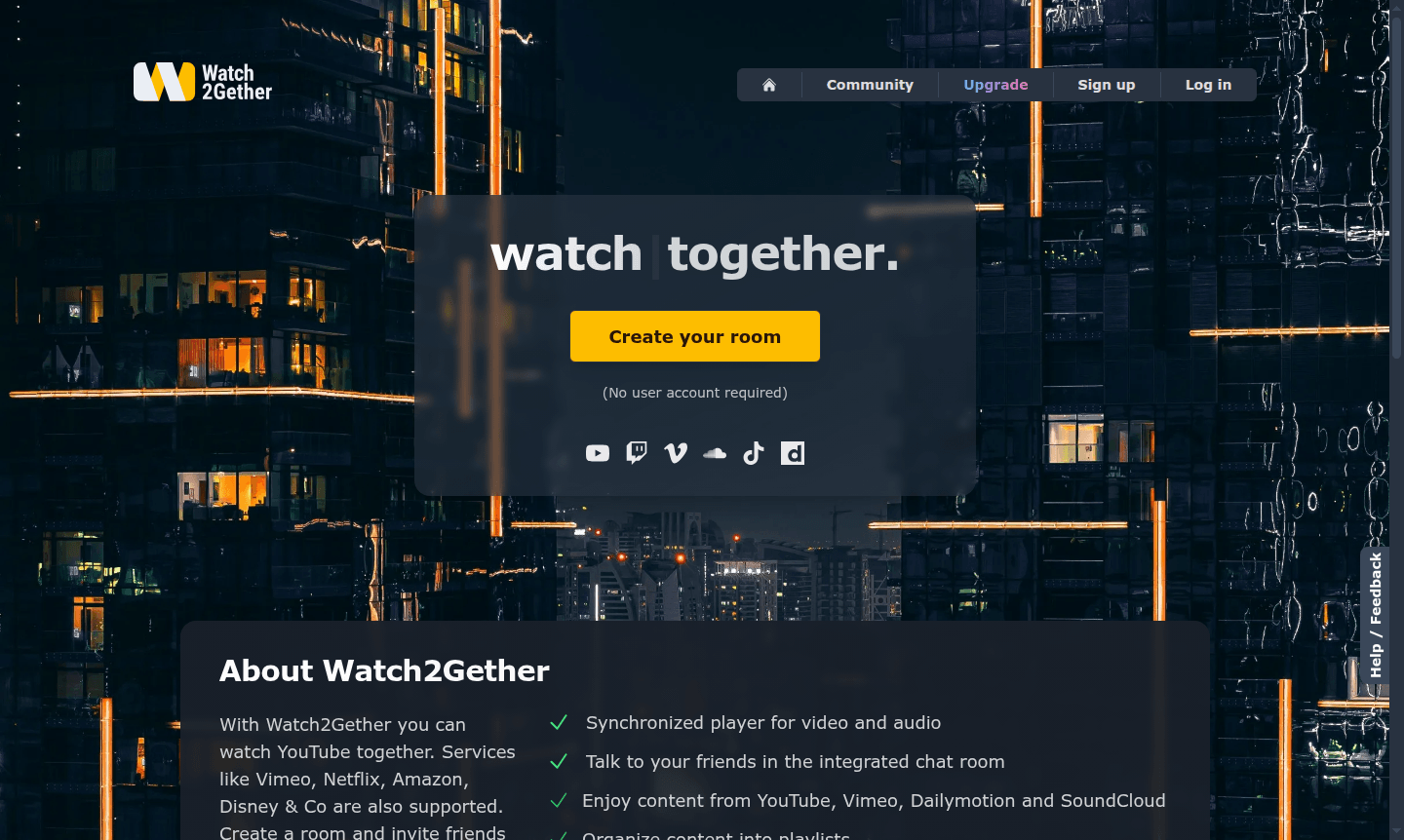
Watch2Gether lets you watch videos in sync with friends online. Host virtual watch parties for YouTube, Netflix, Disney+, and more. No signup needed—ideal for long-distance couples and remote teams.
Overview of Watch2Gether
Watch2Gether is a revolutionary online platform that enables groups to watch videos together in perfect synchronization from anywhere in the world. This innovative service transforms how friends, families, and communities connect through shared media experiences, creating virtual watch parties that feel just like being in the same room. Whether separated by distance or preferring digital gatherings, Watch2Gether bridges physical and virtual social interactions. As a group chat platform, it facilitates real-time communication during viewing sessions for a cohesive experience.
The platform serves a diverse audience including long-distance couples, remote friends, educational institutions, gaming communities, and special interest groups. With support for major streaming services like YouTube, Netflix, Amazon Prime Video, Disney+, Vimeo, and SoundCloud, Watch2Gether has become the go-to solution for synchronized media consumption. It operates entirely through your web browser with no downloads required, making it accessible to users across all devices and operating systems, ensuring everyone can join the fun effortlessly.
How to Use Watch2Gether
Getting started with Watch2Gether is remarkably simple and requires no technical expertise. Begin by visiting the website and creating your personalized watch room with a single click—no user account or registration is necessary. Once your room is active, share the unique room link with your friends or colleagues through email, messaging apps, or social media. As participants join, you can add videos from supported platforms to the synchronized player, organize content into playlists, and engage in real-time conversations through the integrated chat feature. The platform automatically keeps all videos perfectly synchronized across every screen, ensuring a shared viewing experience for all involved.
Core Features of Watch2Gether
- Synchronized Video Player – All participants watch videos simultaneously with perfect timing alignment
- Integrated Chat Room – Real-time text communication while watching content together
- Multi-Platform Support – Works with YouTube, Netflix, Amazon, Disney+, Vimeo, and SoundCloud
- Playlist Organization – Create and manage video queues for extended viewing sessions
- Webcam and Audio Chat – Optional face-to-face interaction during watch parties
Use Cases for Watch2Gether
- Long distance relationships maintaining connection through shared movie nights
- Virtual watch parties for friends separated by geographical distance
- Educational institutions facilitating synchronized video learning sessions
- Online gaming communities sharing gameplay highlights and tutorials
- Remote teams conducting training sessions with video content
- Special interest groups discussing music videos and visual content
- Family gatherings across different time zones and locations
Support and Contact
For assistance and feedback, visit the Help and Feedback page or email contact@w2g.tv. The platform maintains an active community forum where users can share tips, report issues, and suggest improvements, ensuring most questions receive prompt responses.
Company Info
Watch2Gether is developed and maintained by Watch2Gether GmbH, a company specializing in synchronized media experiences. The platform supports multiple languages including English, German, Spanish, Italian, and French, focusing on innovative solutions for remote social interaction and collaborative media consumption.
Login and Signup
Watch2Gether requires no account creation for basic usage—you can create rooms and host watch parties immediately. For additional features and room management options, visit the main website to explore premium account benefits and enhanced functionality.
Watch2Gether FAQ
How does Watch2Gether synchronize videos across different users?
Watch2Gether uses advanced synchronization technology to ensure all participants watch videos simultaneously with perfect timing alignment, creating a shared viewing experience.
What streaming services does Watch2Gether support for watch parties?
Watch2Gether supports YouTube, Netflix, Amazon Prime Video, Disney+, Vimeo, Dailymotion, SoundCloud, and many other popular streaming platforms.
Do I need to create an account to use Watch2Gether for virtual watch parties?
No account is required for basic Watch2Gether functionality—you can create rooms and host watch parties immediately without any registration process.
Is Watch2Gether free to use?
Yes, Watch2Gether is completely free for basic features with no account required, allowing instant access to synchronized video watching and chat.
Watch2Gether Reviews0 review
Would you recommend Watch2Gether? Leave a comment
Watch2Gether Alternatives
The best modern alternatives to the tool
New Tools Releases
Recently added tools